excel column
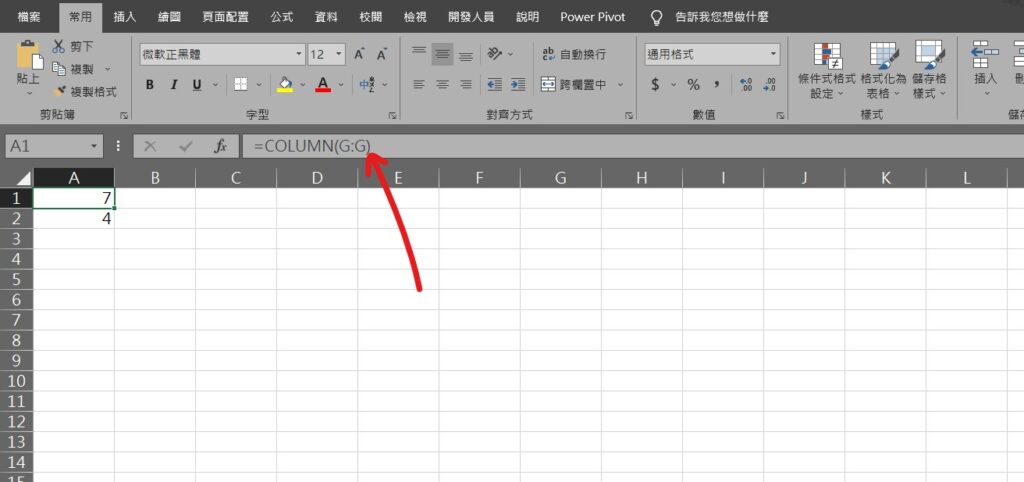
Step 1 使用COLUMN函數,可以抓取儲存格或範圍的「欄」數,範例「=COLUMN(G:G)」為抓取G欄為第幾欄,從A數到G,由1開始因此「G欄」為「7」
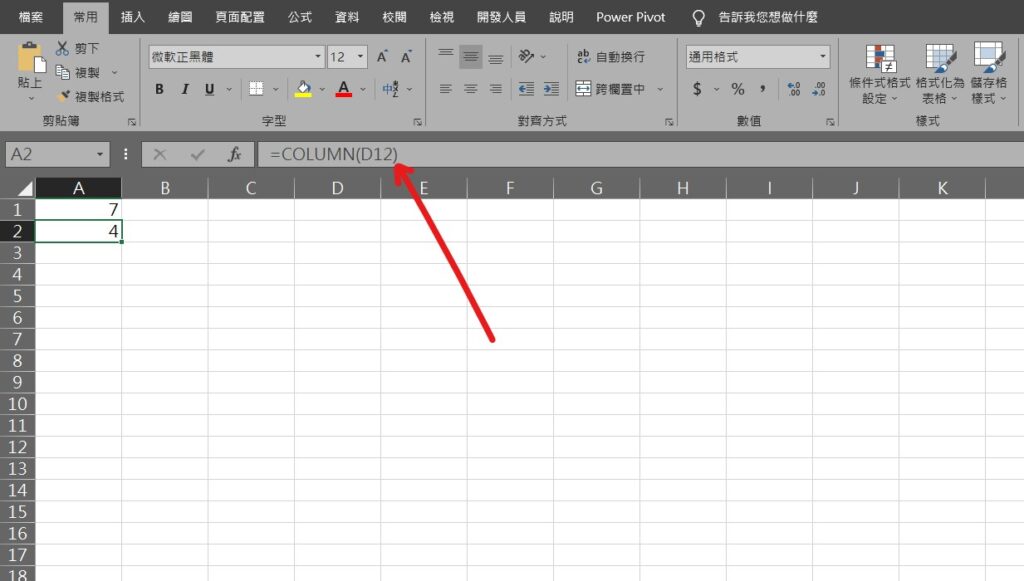
Step 2 如參數為儲存格,範例「=COLUMN(D12)」,會抓取「D」欄為第幾欄,從A數到D,由1開始因此「D欄」為「4」
小技巧:此函數通常不會單獨使用,較常與其他函數共同使用,範例請參考此文章
【教學】Excel 中Column函數代表什麼意思?如何使用?超簡單馬上搞懂!
A blog of my life

excel column
Step 1 使用COLUMN函數,可以抓取儲存格或範圍的「欄」數,範例「=COLUMN(G:G)」為抓取G欄為第幾欄,從A數到G,由1開始因此「G欄」為「7」
Step 2 如參數為儲存格,範例「=COLUMN(D12)」,會抓取「D」欄為第幾欄,從A數到D,由1開始因此「D欄」為「4」
小技巧:此函數通常不會單獨使用,較常與其他函數共同使用,範例請參考此文章
We stumbled over here by a different page and thought I may as well check things out.
I like what I see so i am just following you. Look forward to looking into
your web page for a second time.
I used to be recommended this website by way of my cousin. I am now not positive whether this post is written via him as nobody else recognise such distinct approximately my difficulty.
You are amazing! Thanks!
I’m amazed, I must say. Rarely do I encounter a blog that’s both educative and engaging, and without
a doubt, you have hit the nail on the head. The problem is
something that too few people are speaking intelligently
about. Now i’m very happy that I stumbled across this in my hunt for something regarding this.
Hi there, all the time i used to check weblog posts here early in the dawn, since i enjoy to find out more and more.