
excel vab 右下方 最後一列最後一欄 值
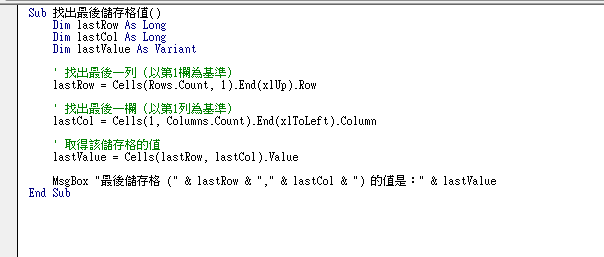
Step 1 將下方程式碼複製到自己的巨集中即可找到最右下方的值
Sub 找出最後儲存格值()
    Dim lastRow As Long
    Dim lastCol As Long
    Dim lastValue As Variant

    ' 找出最後一列(以第1欄為基準)
    lastRow = Cells(Rows.Count, 1).End(xlUp).Row

    ' 找出最後一欄(以第1列為基準)
    lastCol = Cells(1, Columns.Count).End(xlToLeft).Column

    ' 取得該儲存格的值
    lastValue = Cells(lastRow, lastCol).Value

    MsgBox "最後儲存格 (" & lastRow & "," & lastCol & ") 的值是:" & lastValue
End Sub
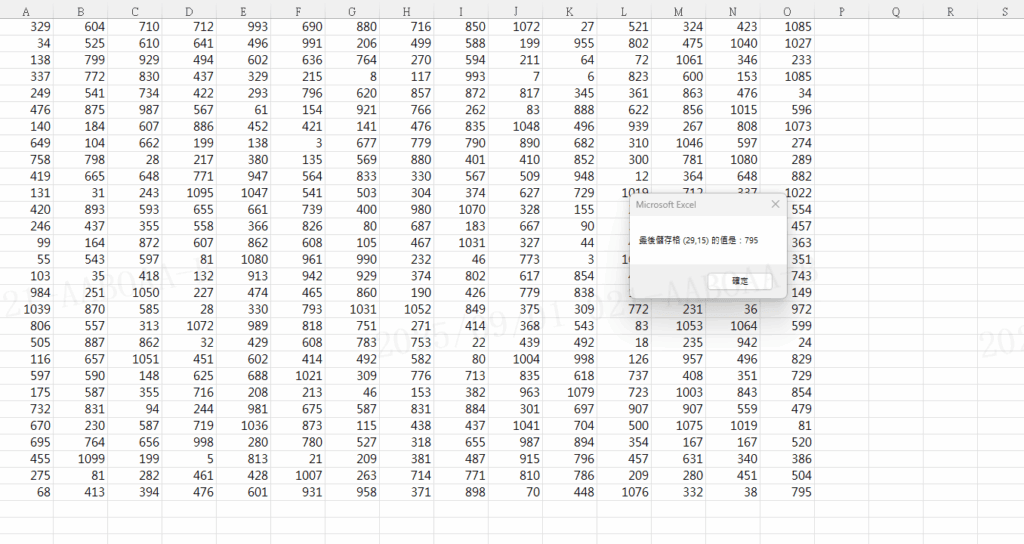
Step 2 執行後即可找出最右下方的值
【教學】Excel VBA 如何找到最後一列最後一欄最右下方的值?跟著步驟馬上學會!